Platform Improvements: Updates to Flows, Exports, and Interface
We're pleased to introduce a new set of enhancements designed to help tour operators and travel professionals work more efficiently, improve operational visibility, and streamline everyday workflows. This release focuses on making deal management, supplier communication, itinerary planning, reporting, and data exports more flexible and intuitive.
From powerful new search filters and expanded export capabilities to improved lead management and smarter booking tools, these updates are aimed at reducing manual work while providing greater control over your travel operations.
This release delivers a wide range of improvements across deal management, operations, reporting, exports, and ticket stock functionality. By introducing smarter search tools, enhanced financial visibility, more flexible data exports, improved lead management features, and workflow optimizations throughout the platform, these updates help travel businesses save time and maintain greater accuracy across their operations.
Overview of Updates
General Updates
Three new filters for Deal Source, Statuses and Destination added to Deals Listing
Multiple To Email addresses can be added to Supplier Quote/Orders
Notes can be moved between deals
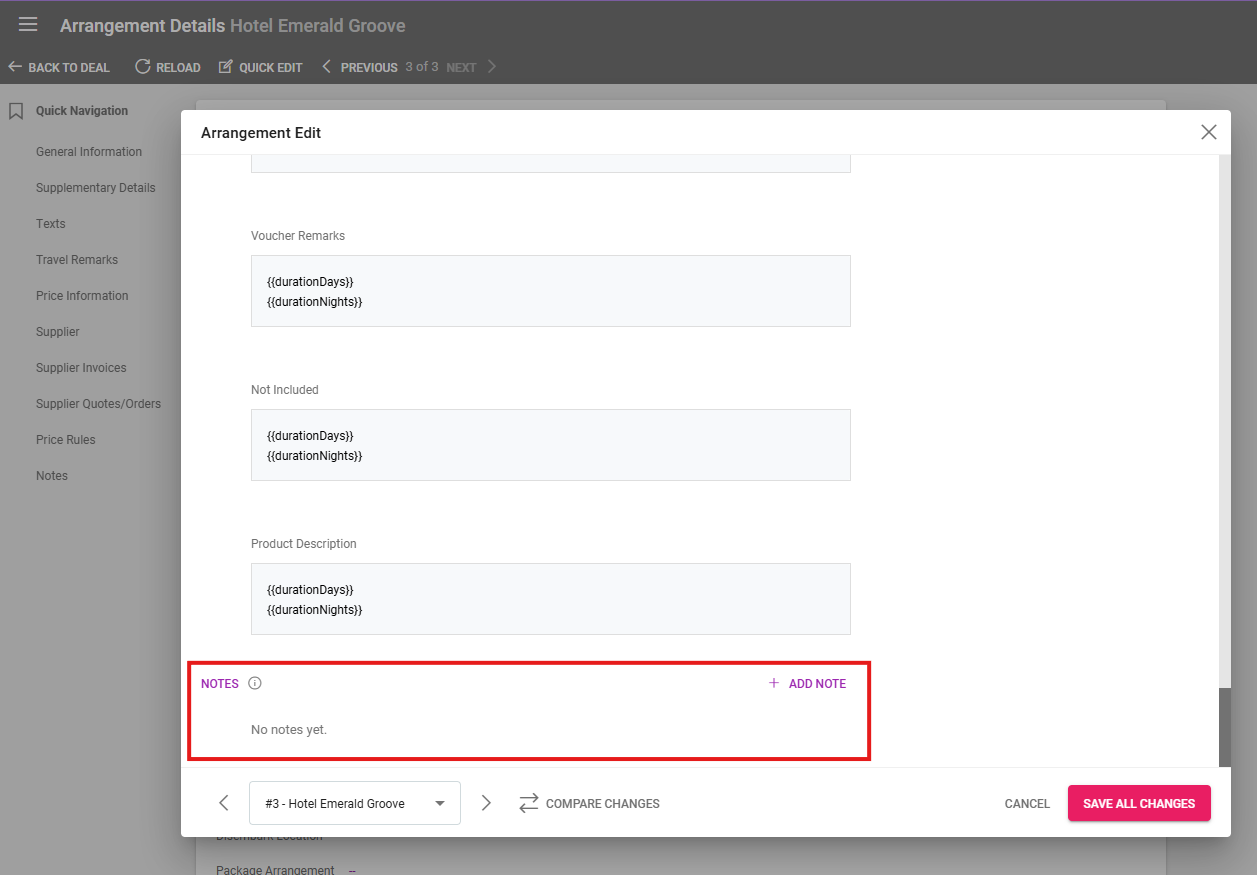
Notes can be added from Quick Editing Arrangements for easy internal remarks
New section in Settings / General for Flight Allotment categories
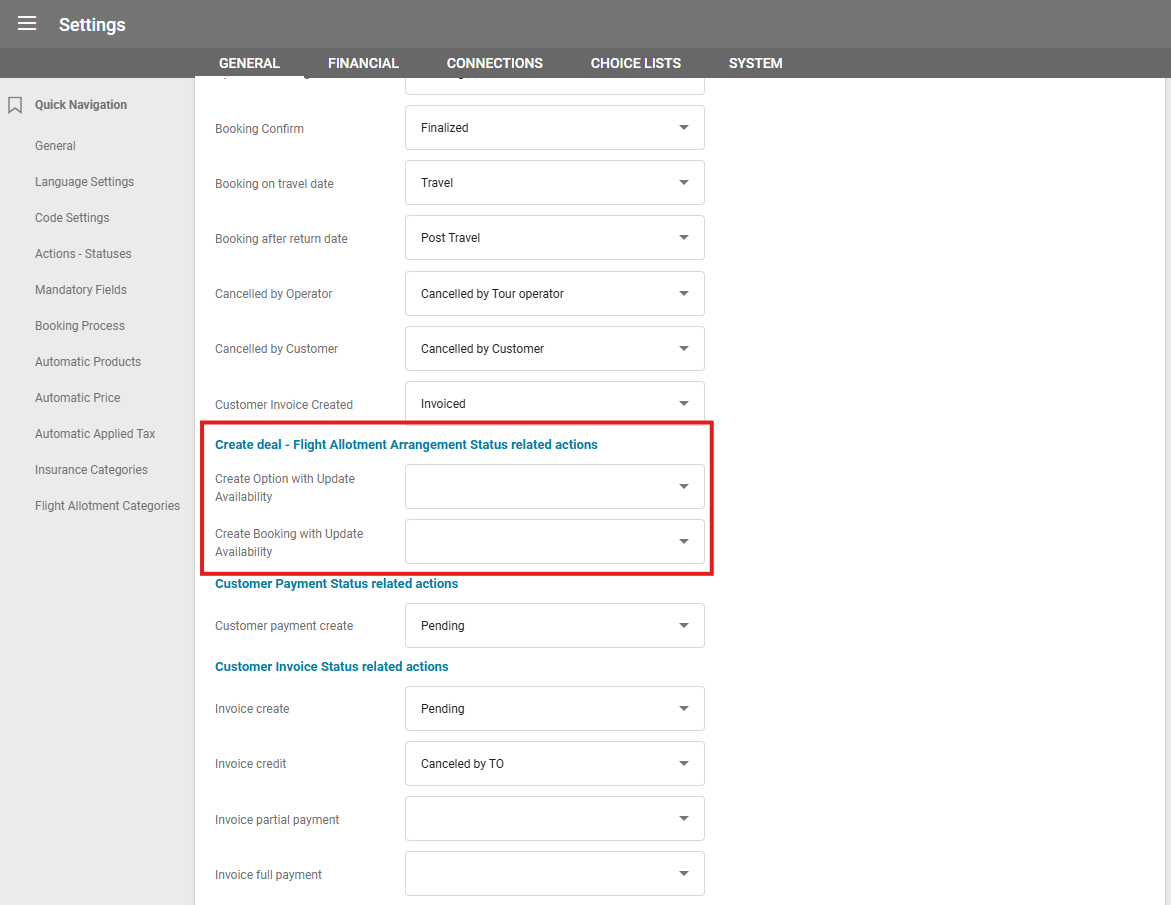
Two new Actions-Statuses for Flight Allotment Arrangement Status related actions have been added
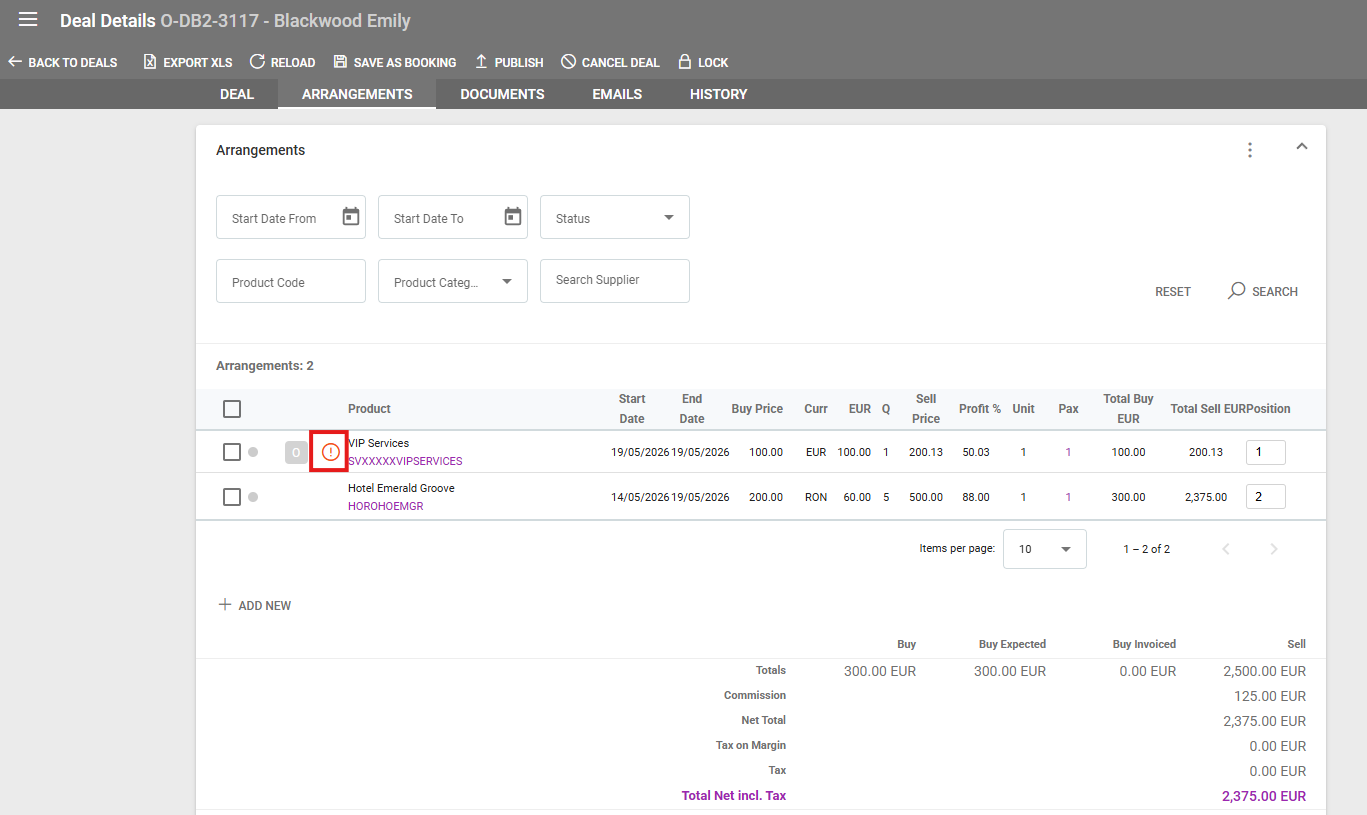
In deals, a new icon has been added to differentiate arrangements not included in total
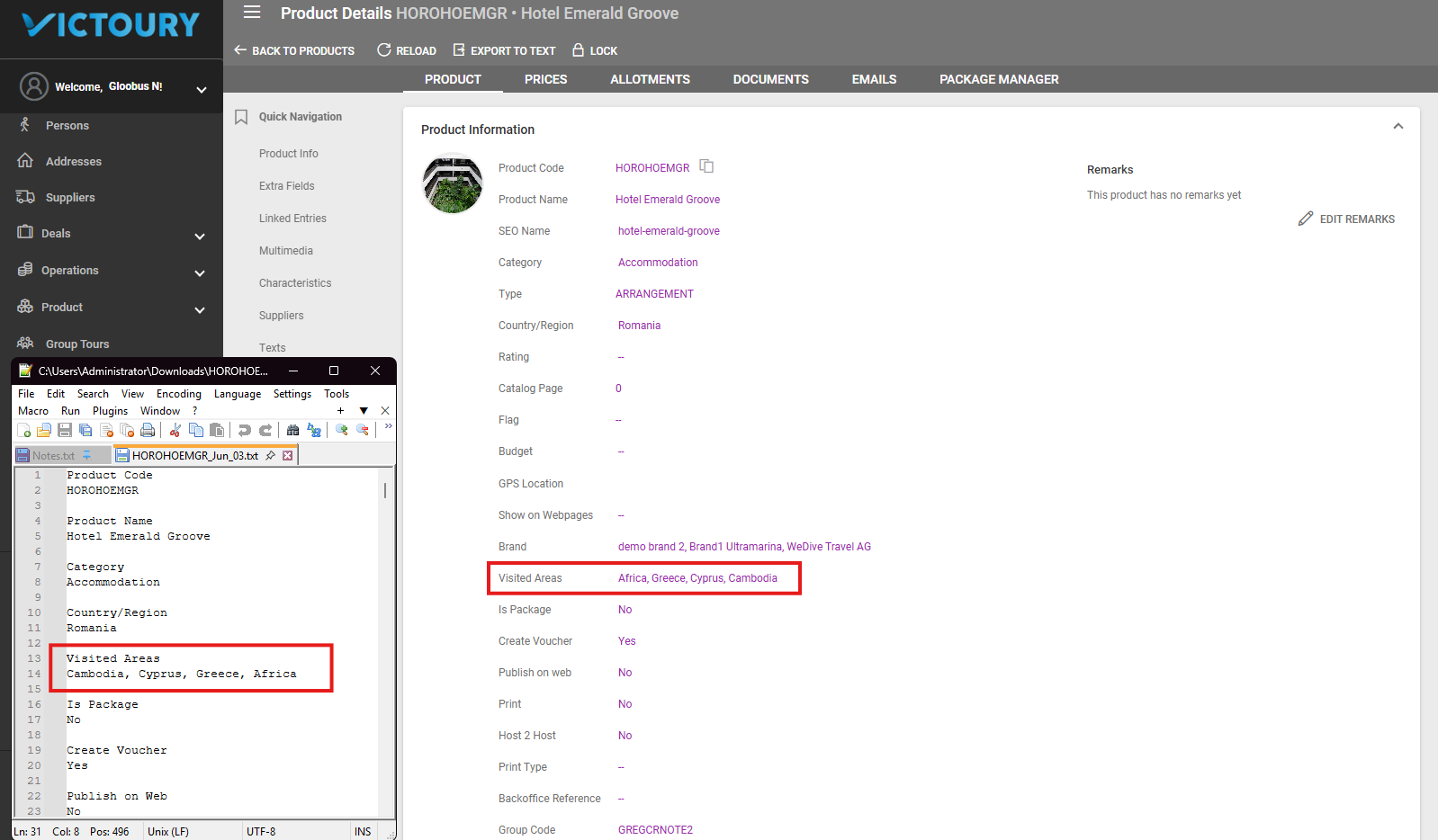
Product Details “Export to text” includes the Visited Areas
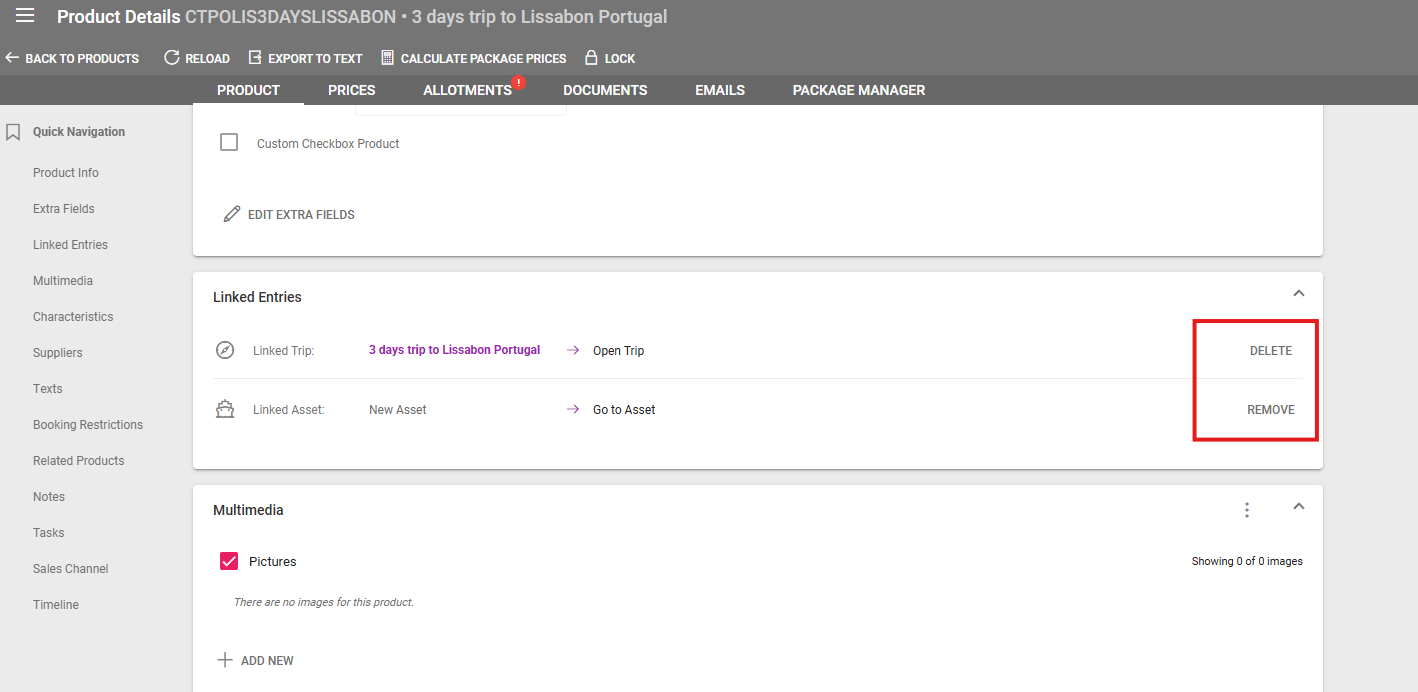
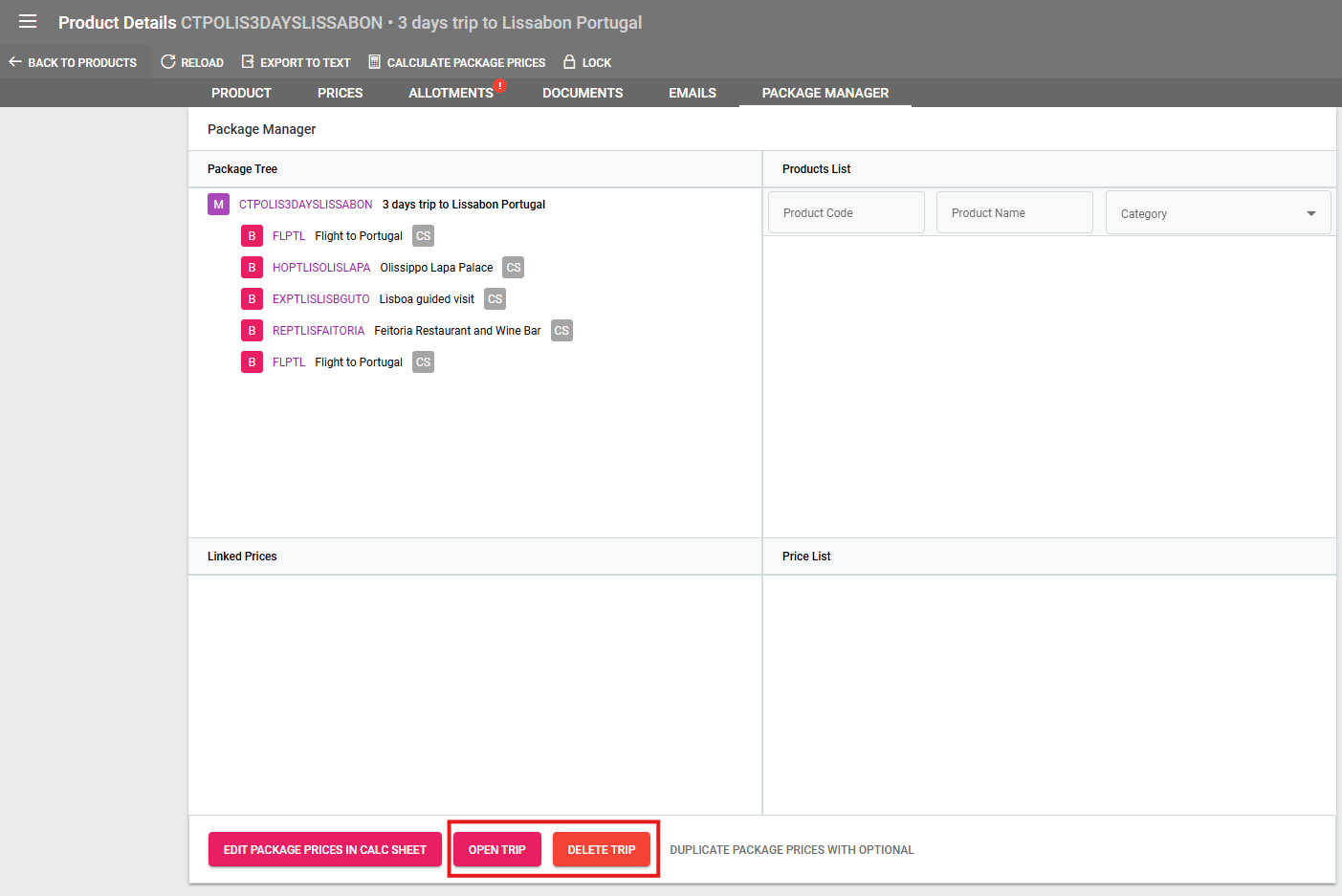
Links to assets or trips can be removed in Product Details and the package manager
When sending emails using the {{salutation}} placeholder, the salutation used is based on the first recipient of the TO field
Linked trips can be deleted from products and the package manager
Deal Updates
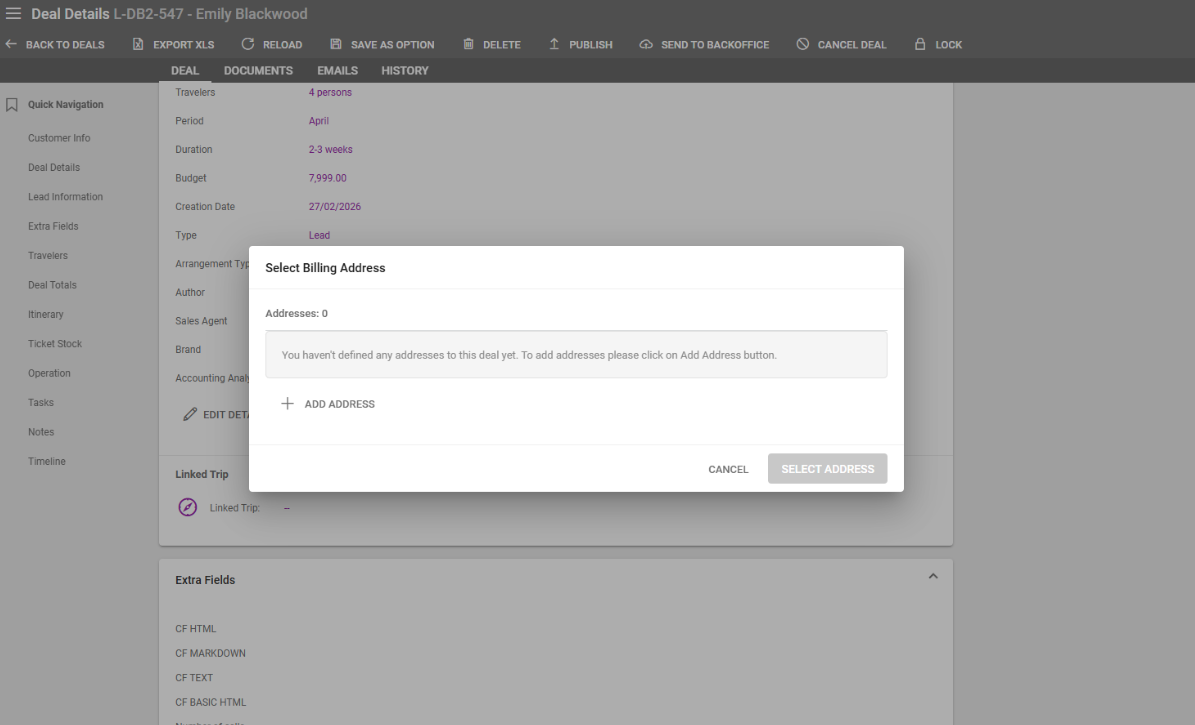
Lead Type deals have a new check for “Billing Address” when clicking on the Save as Option button
The Lead Create field for Budget has a new option for “Not determined”
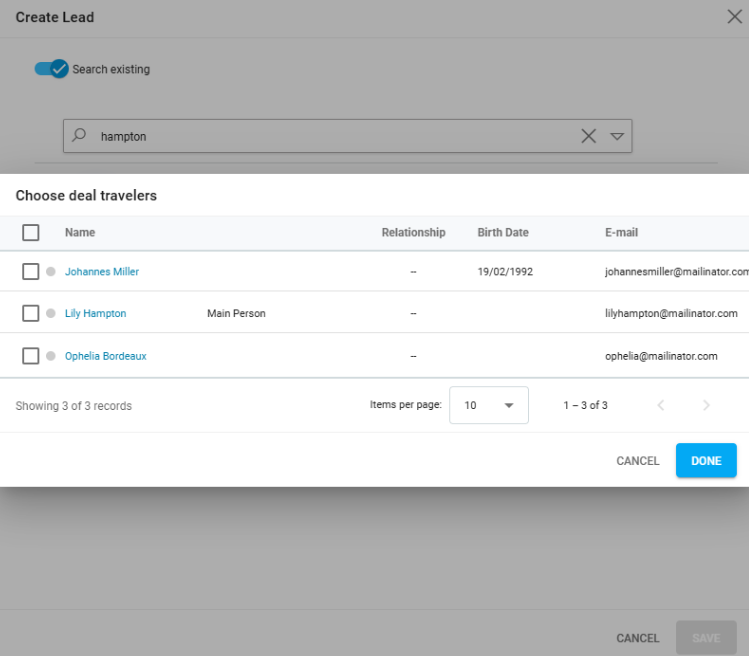
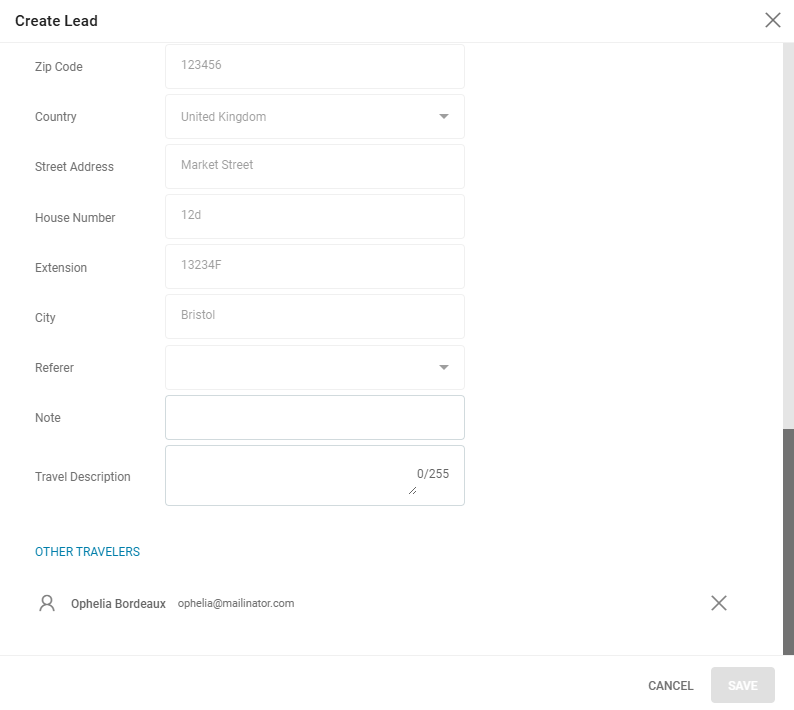
A related person to a Customer can be added as a traveler in the Create Lead overlay
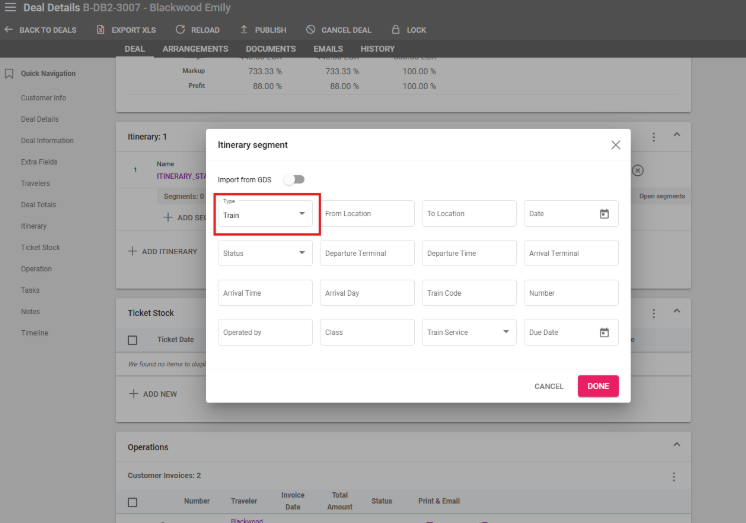
New Itinerary Segments type can be selected in Deal Details / Itinerary
Interface Updates
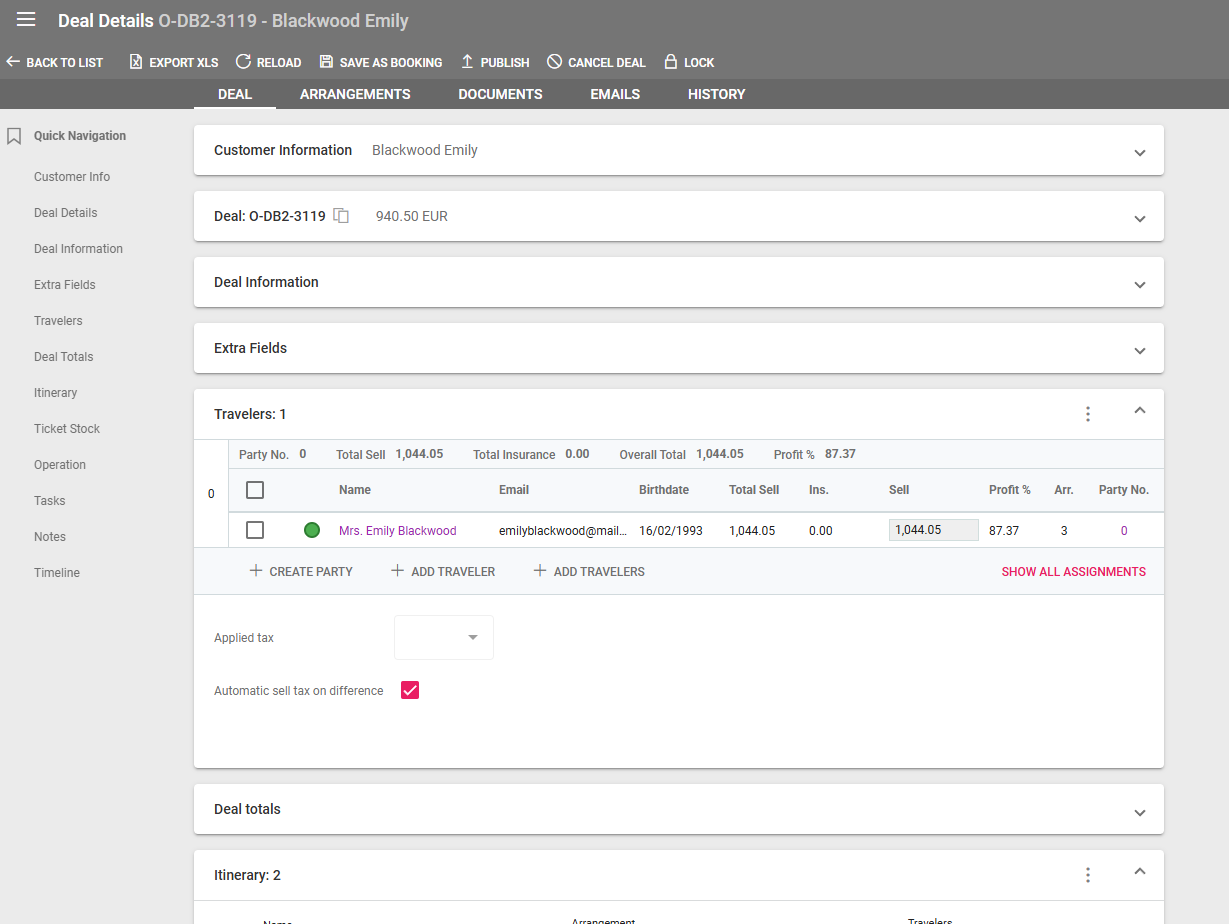
Section Status saved in browser (collapsed or expanded)
Tasks Listing has a new column for the Main Traveler and Customer Reference details
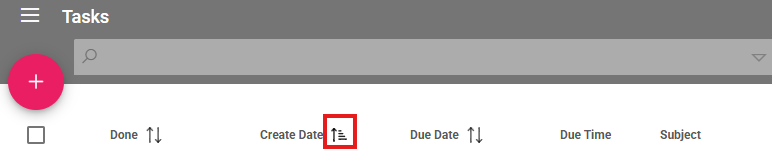
Tasks are ordered by Due Date by default
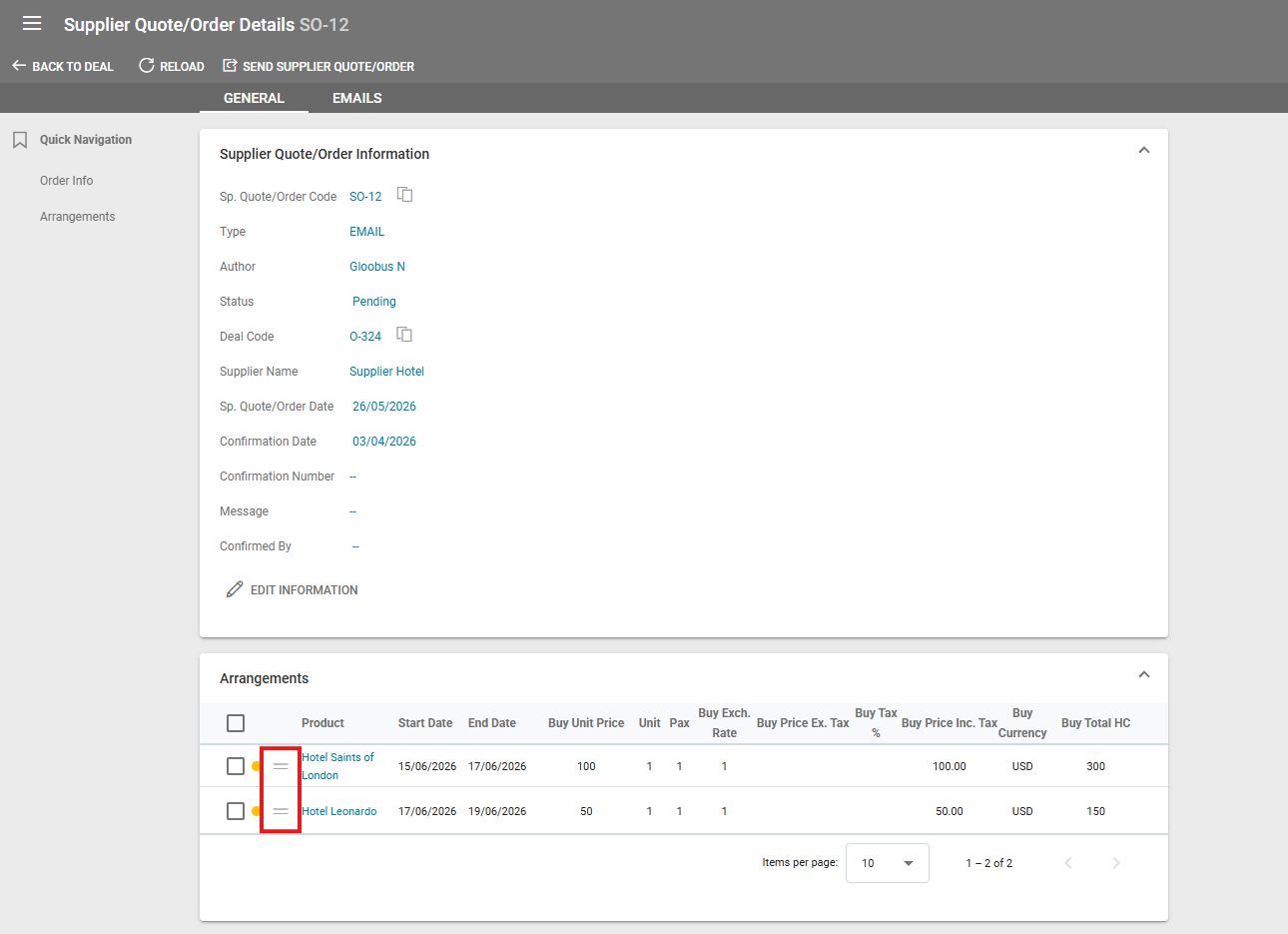
Order products in Supplier Quotes/Orders can be moved using drag and drop
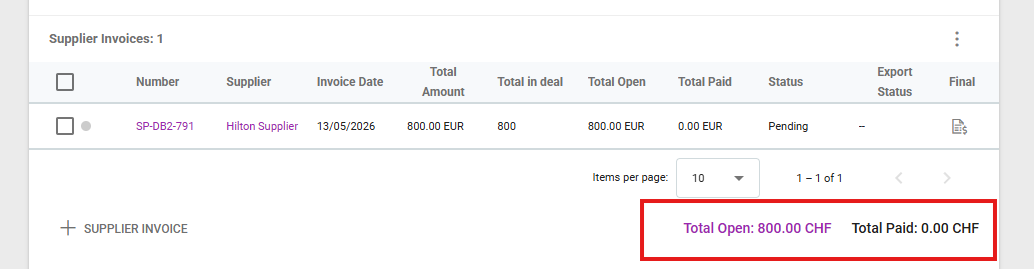
Deal Details / Operations / Supplier Invoices now displays the Total Open and Total Paid amounts for supplier invoices
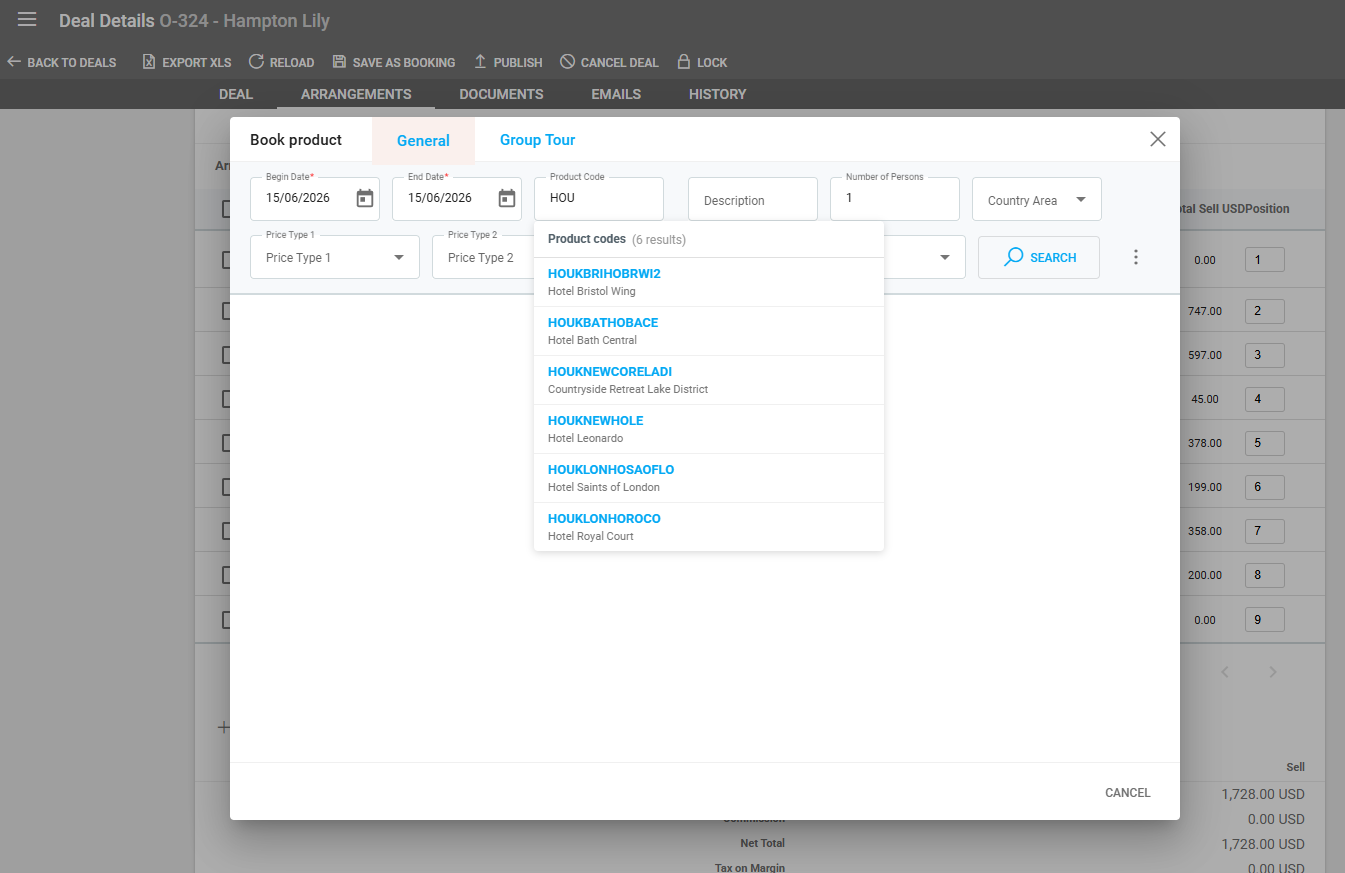
Product Booking can auto suggest products based on 3+ characters written in the Product Code field
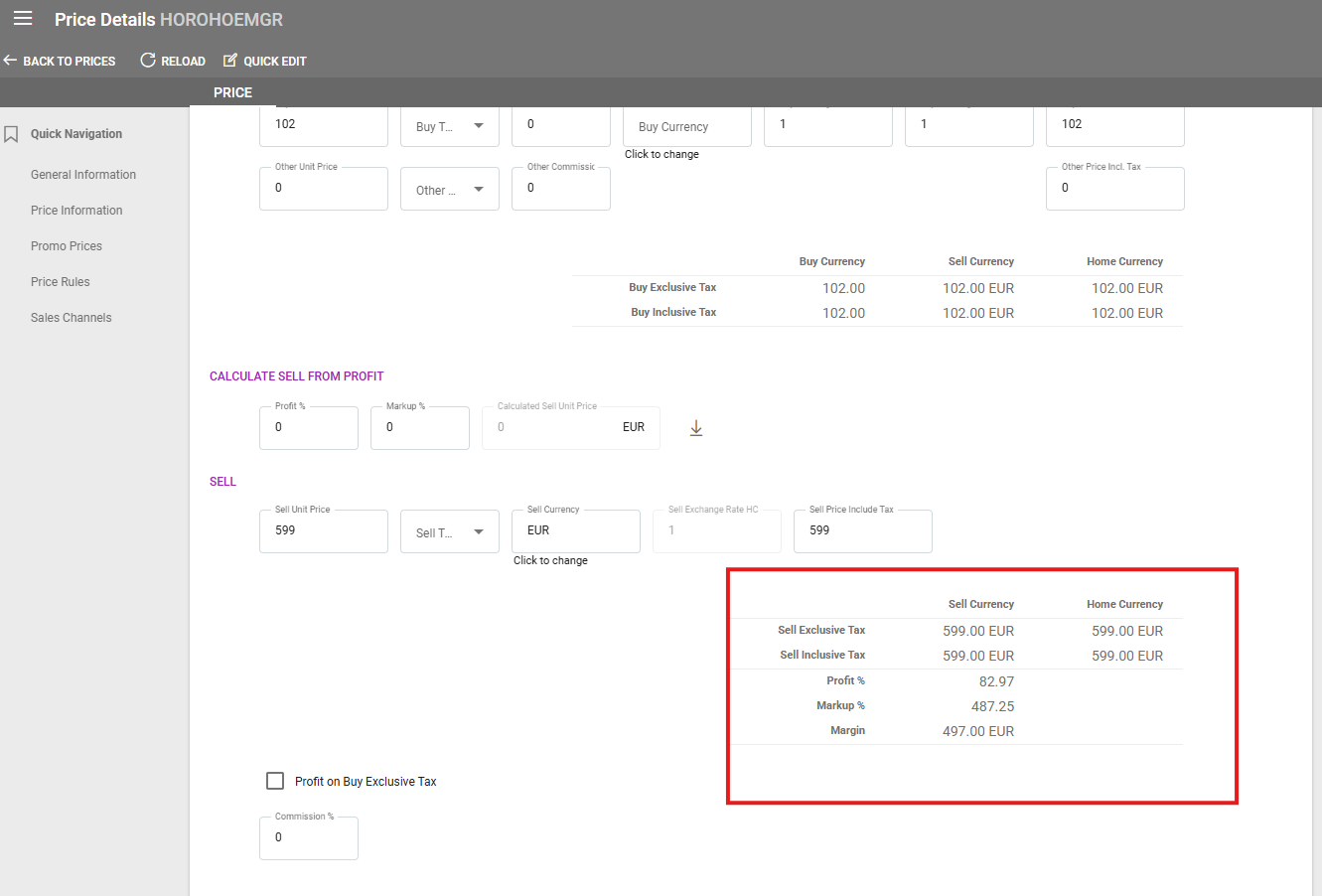
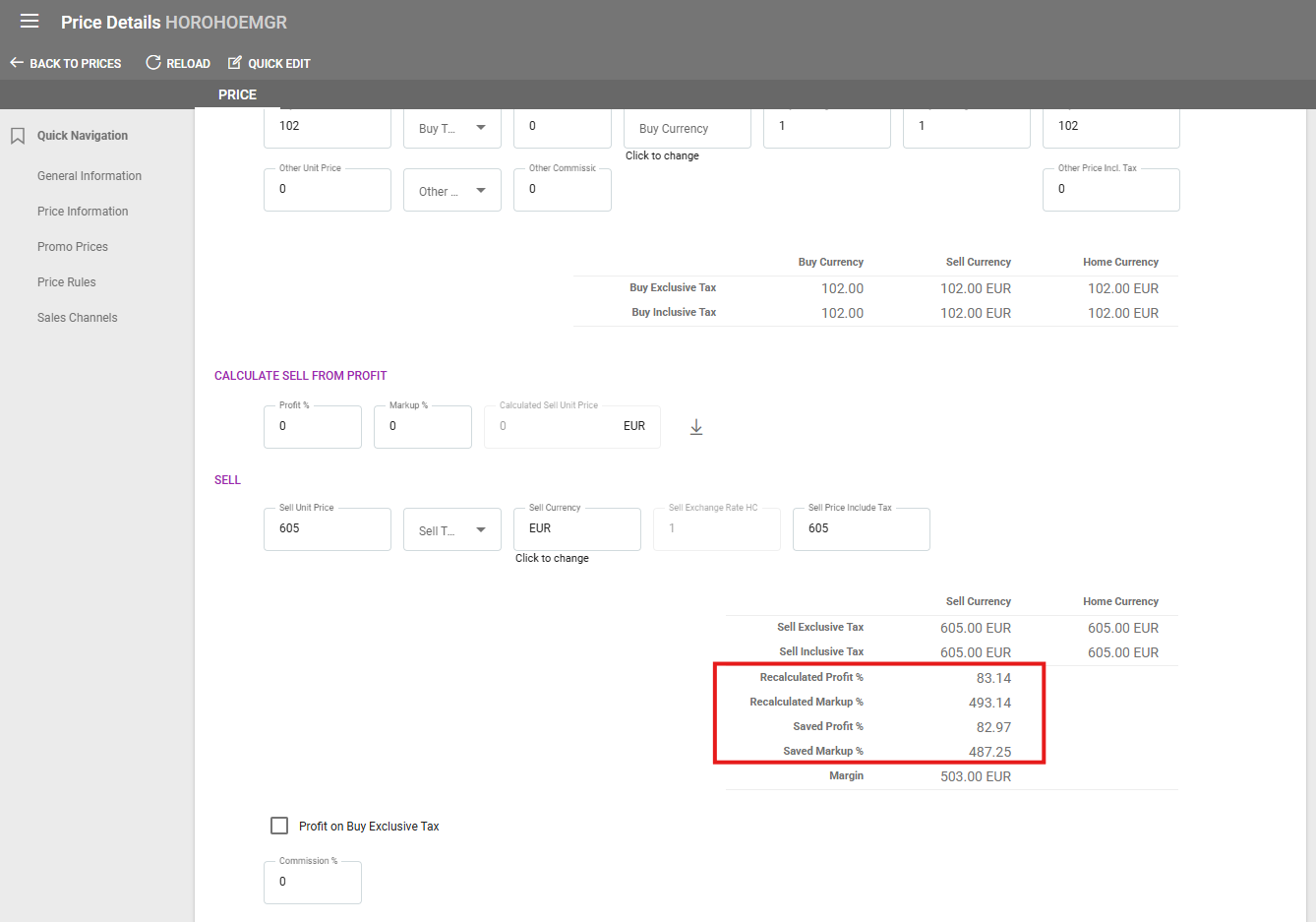
Price Information in Price Details displays original and updated Profit % and Margin %
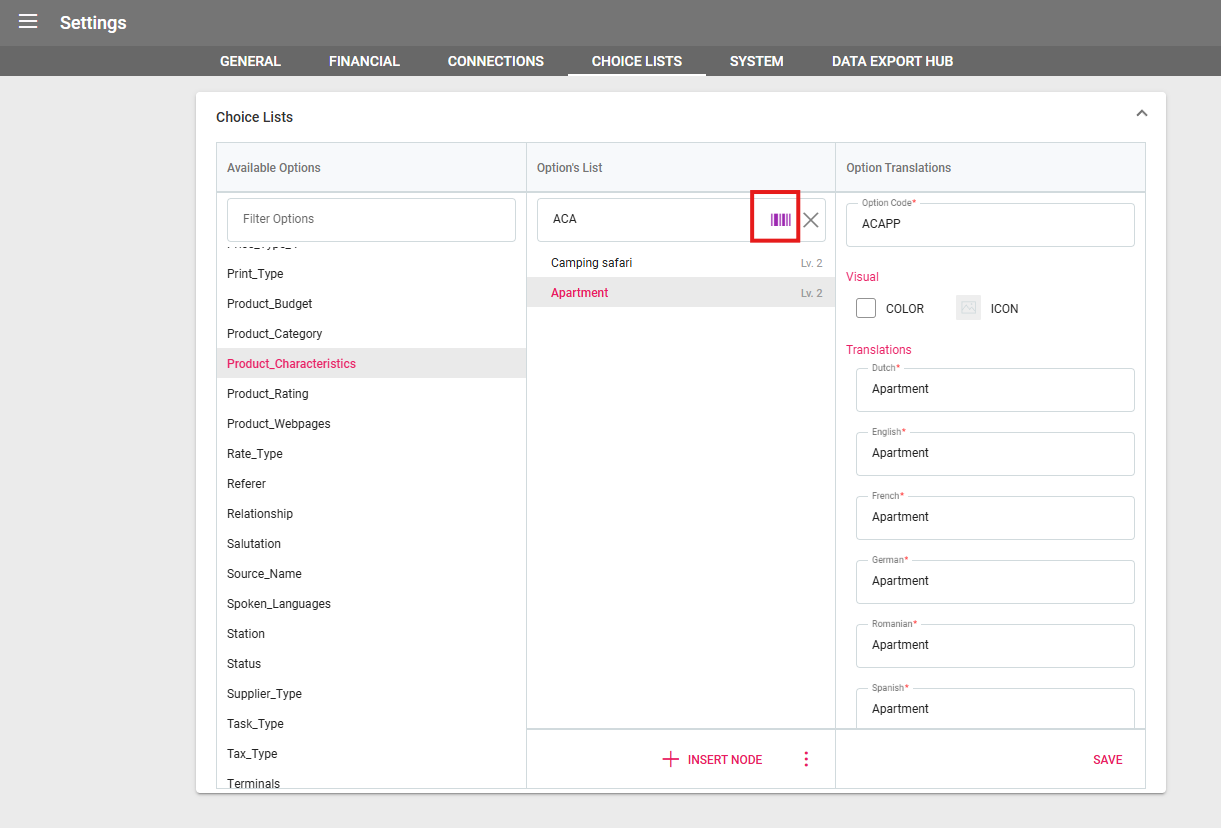
Choice List options in Settings can be searched by Code as well
Export Updates
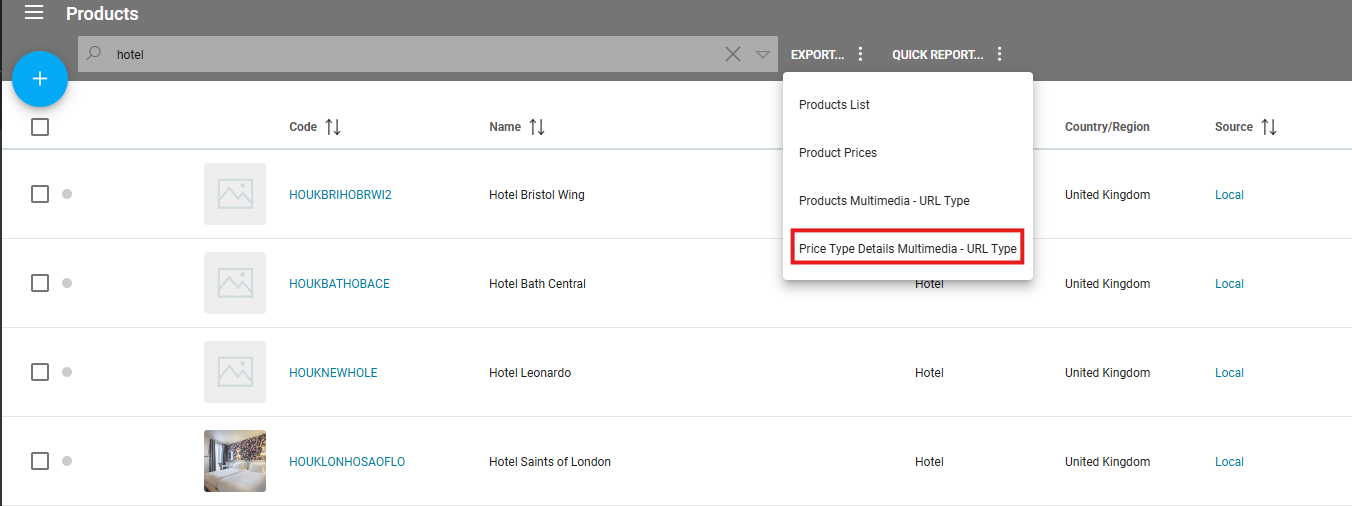
Export an excel from the Product Listing for Price Type Details Multimedia URLs
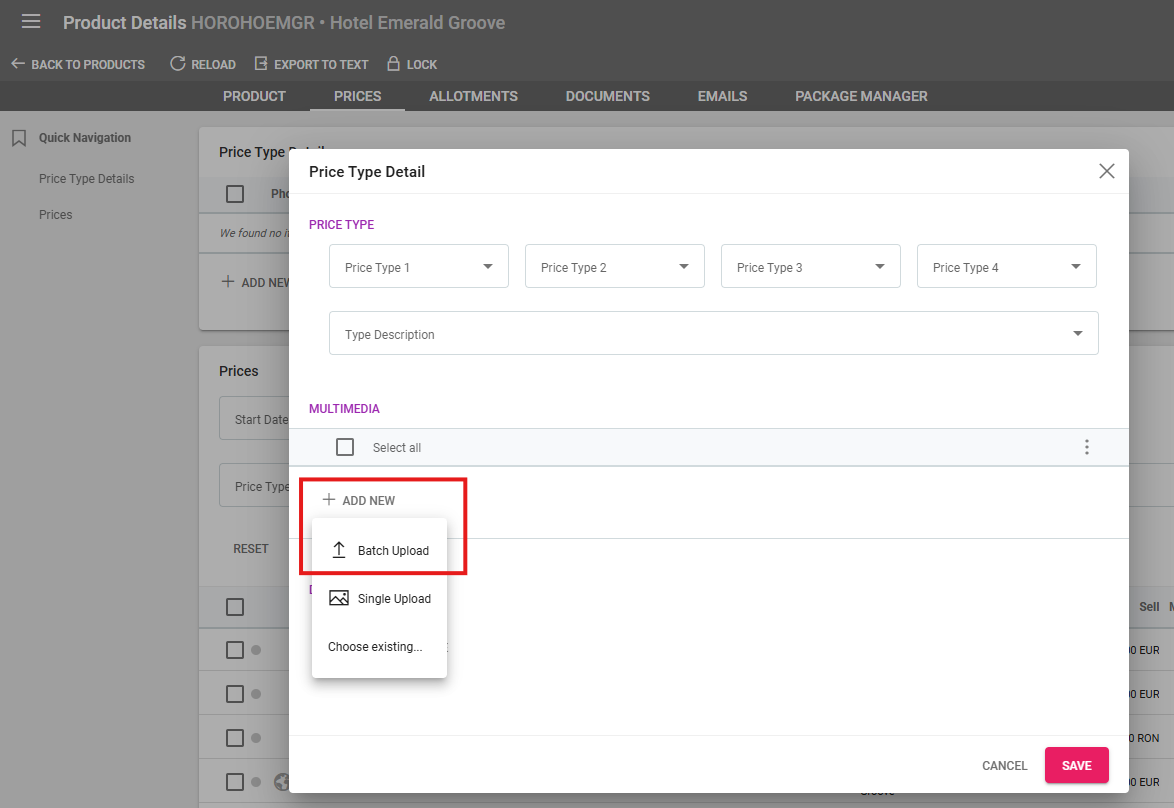
Multimedia can be uploaded in batch in Price Type Details
New columns for Payment Reference, Margin, Markup, Profit, Sales Agent and Analytic Code and more are available in Excel Exports and Quick Reports from the Deals Listing
Three columns have been added to the Arrangement Listing Export for Number of Persons and Buy and Sell Quantity
Two new columns for Optional and Included in Total have been added to the Excel export in Deal Details
In the excel export functionality for Accounting, Customer Payments and Supplier Payments the columns that had values and currency codes in the same column have been split in two
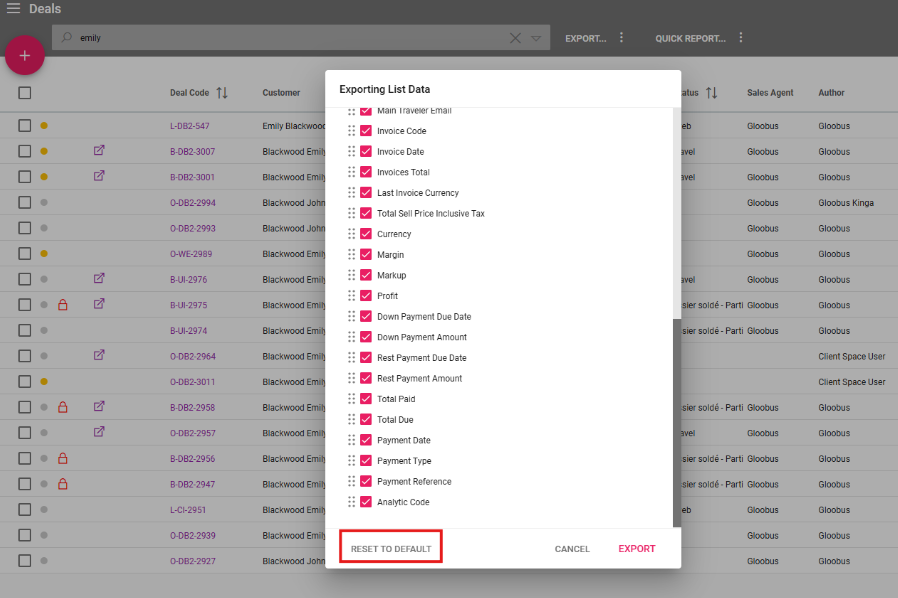
A new “Reset to default” button is available in excel exports that reset the columns position and selection
Ticket Stock Updates
Negative values are now supported in all price-related fields
General Updates
Deals Listing - Search by Deal Source, Statuses and Destination
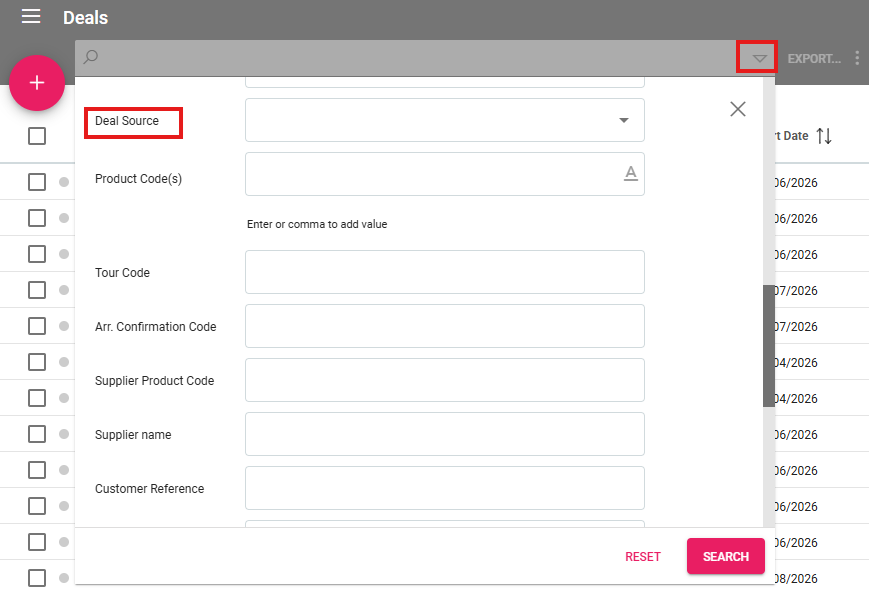
Three new search filters have been added to Deals Listing:
Deal Source - single choice drop down list
Statuses - dropdown list with multiple choice
Destination - dropdown list with multiple choice
Supplier Order / Quote - Add multiple email addresses to the TO field
Order emails now include all supplier Order email contacts in the TO field when creating a new email. Email addresses can be set up in Supplier Details under the Contacts section. The automatically selected emails are those of type “Order e-mail”. Other email addresses can be added to the TO field in the email edit window.
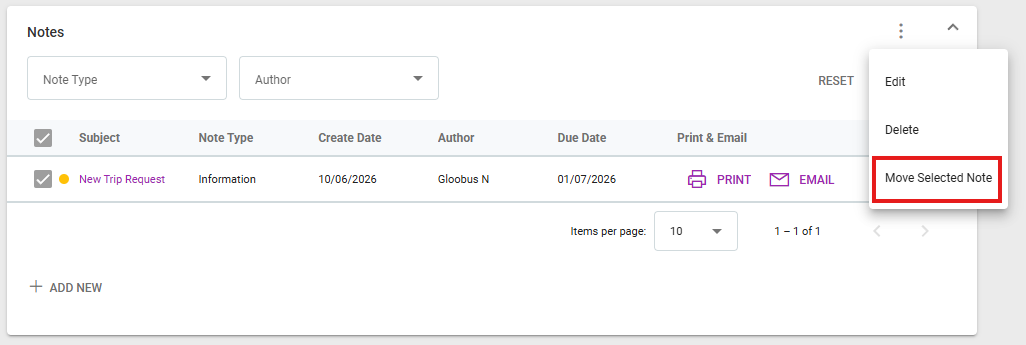
Notes - Move notes from one deal to another
One or multiple notes can be moved to another deal. First, select the desired notes by clicking on the checkboxes next to them, then click on the three dots at the top right of the section. Click on "Move Selected Note(s)", then fill out the Deal Code of the deal they should be moved to.
Notes - Add notes from Quick Editing Arrangements
In the Arrangements’ Quick Edit window, a new section for notes is available. This section can be used to write down internal remarks about the respective arrangement without needing to exit the quick edit window.
Settings - New Flight Allotment Arrangement Category settings
A section has been added in Settings / General called “Flight Allotment Categories”. Tour operators can define the Product Categories that are classified as Flight Allotment categories.
Settings - New Flight Allotment Arrangement Status related actions added
Two new Actions-Statuses have been added for Create deal - Flight Allotment Arrangement Status related actions:
Create Option with Update Availability
Create Booking with Update Availability
Deals - Visual Icon for Arrangements not included in total
In Deal Details / Arrangements, the arrangements that are marked as “not included in total” now have an icon to indicate this. The icon is a circle with an exclamation mark inside it, and upon hovering, a tooltip explains its purpose.
Products - Export to text includes Visited Areas
In Product Details, a function is available to export product details to a text file. This file now includes the “Visited Areas” selected alongside other details such as product texts, code, name and more.
Product - Remove link to a trip or asset
In Product Details under the Linked Entries section, a new button was added to delete the link to a trip entity. Additionally, a button was also added in the Package Manager for this functionality. Deleting the link to an existing trip deletes the Trip entity.
Assets can also be unlinked in the same section.
Emails - The {{salutation}} placeholder uses the Salutation for the first recipient in the TO field
When sending emails in Victoury, operators can use an extensive list of placeholders to add information that is dynamically placed depending on the data in the system. One such placeholder is {{salutation}} that retrieves the Salutation set in a person’s details.
The {{salutation}} placeholder will now retrieve the salutation of the first recipient placed in the TO field. In case of temporary persons or lack of salutation, the placeholder will not be replaced.
Deal Updates
Lead Deal - New check for “Billing Address” when clicking on the Save as Option button
A new window is displayed when attempting to save a lead as an option if the Lead deal doesn’t have a Billing Address set. This window allows operators to add a new Address in a similarly to the Address step when creating a deal.
Lead Deal - New option for “Not Determined” Budget
A new option is available in the “Budget” field when creating a new lead. This option is called “Not Determined” and it was added for deals where the budget isn’t specified.
Lead Deal - Add related persons as travelers when creating lead
When selecting an existing customer, related persons can be added to the lead deal as well. The interface is similar to the one when creating a standard deal and selecting a customer. The selected persons will be added as travelers and are displayed at the bottom of the lead create overlay under a section called “Other travelers”.
Itinerary Section - New field for itinerary segment type selection
A drop down list is available in Deal Details / Itinerary while creating a segment. This field allows the selection of the segment type using the Itinerary Type choice list from the system settings. GDS import - Galileo also supports importing Train type segments.
Interface Updates
Section status saved in browser
Operators’ preferences of collapsing or opening a section across the system is saved in their browser. All sections that can be closed or expanded maintain their state up until your browser’s cache is cleared. These preferences aren’t saved on different browsers or devices.
Task Listing - New column for Main Traveler / Customer Reference
A column has been added in the Tasks Listing for the Main Traveler and Customer Reference information. This is displayed in a single column for easy browsing, with data only being displayed if the Task is created in relation to a Deal and the fields have data.

Task Listing - Tasks are sorted by Due Date
The Task Listing is now automatically sorted by the nearest Due Date. Columns that have arrows can be used to sort the tasks listing by clicking on them. The active sorting can be seen by the different arrow icon.
Supplier Quotes/Orders - Move Order Products by drag and drop
In Supplier Quote/Order details, Order products can be moved by drag and drop. Simply click and hold on a product row, then move the cursor to reorder the chosen product.
Deal Details - Display for total Open and Total Paid in Supplier Invoices
In Deal Details under the Supplier Invoices section the Total Paid and Total Open are now displayed, allowing for an easier overview of supplier invoices and payments.
Product Booking - Display suggested products based on product code
When using the book product functionality, if there are 3 or more characters in the “Product Code” field and the spacebar is pressed, the system will automatically suggest products based on the code input.
The first products shown are those that start with the written characters, followed by the products that contain that combination of characters.
Price Details - Recalculated Margin % and Profit %
If changes are done to prices in Price Details under Price Information, the original and updated Profit % and Margin % are displayed for easy reference.
Original values are called “Saved Profit %” and “Saved Margin %”
Updated values are called “Recalculated Profit %” and "Recalculated Margin %”
These values appear only up until the changes are saved.
Settings - Search by Code in Choice List Options
In Settings / Choice Lists operators can type the option code in the search box. Switch between the code and label search by clicking on the label icon or the code icon.
Export & Import Updates
Product Export - New Export for Price Type Details Multimedia - URL Type
Using the search in Products Listing, then clicking on the Export button opens several options. A new type of export has been added for Price Type Details for Multimedia URLs. It shows a list of your products, their specific Price Type Details, and any web links (multimedia) attached to them.
How the Import Works
Once you've filled out or updated your Excel sheet, you can upload it back into the system to save your changes.
Here are a few simple rules to keep in mind when updating the spreadsheet:
For Display Only: The product information and Price Type columns are just there to help you identify what you are working on. The system will not let you create new products or change product names through this specific sheet.
Adding vs. Updating: If you leave the multimedia ID column blank, the system will add a brand new link. If the ID column is filled in, the system will update the existing link.
Blank Fields Will Erase Data: Be careful! This import uses a "full replacement" rule. If you clear out a piece of information in the Excel sheet and upload it, it will completely erase that specific piece of information in the system.
Media Batch Upload - Batch Upload Multimedia in Price Type Details
The Multimedia section in a Product’s Price Type Details has a new option to batch upload multimedia. This works in a similar fashion as the other Batch upload options in Product Details or Asset Details.
Deals Export - New Columns for Payment Reference, Margin, Markup, Profit, Sales Agent and more in Excel Export & Quick Report
Several new columns have been added for Excel exports and Quick Reports from the Deals Listing:
Payment Reference,
Margin,
Markup,
Profit,
Expected Margin,
Expected Markup,
Expected Profit,
Invoiced Margin,
Invoiced Markup,
Invoiced Profit,
Sales Agent,
Analytic Code,
End Date,
Deal Source,
Cancelled,
Cancellation Date,
Cancellation Source,
Cancellation Reason
Cancellation Details
Arrangement Export - New Columns for Number of Persons and Quantity
Three new columns have been added for Excel exports and Quick Reports from the Arrangements Listing:
Number of Persons,
Buy and Sell Quantity.
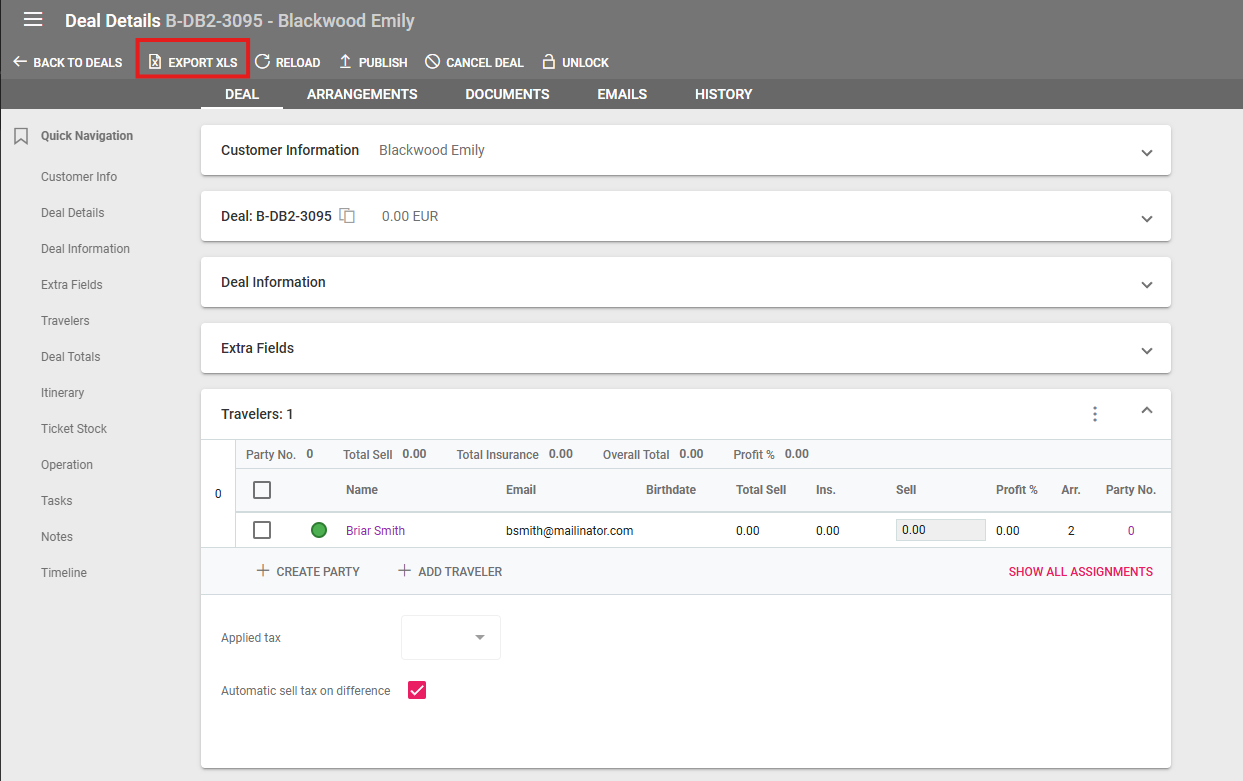
Excel Exports - Deal Details Export to XSL
In a Deal’s Details, an “Export XLS” button is available in the top menu. This button exports an Excel file with some of the deal’s details.
This has two new columns for the following details about Arrangements:
Optional
Included in Total
Both values can be Yes or No indicating the status of the checkbox.
Excel Exports - Accounting, Customer Payments and Supplier Payments export column changes
The columns that displayed values and currency codes in the same field have been split into two separate columns. The affected columns are as follows:
Accounting
Total HC
Total FC
Customer Payments
Down Payment Amount
Rest Payment Amount
Total
Total Paid
Supplier Payments
Total
Total Paid
Excel Exports - Reset Column positions and selection to default
A reset to default button has been added to export to excel where columns can be moved and selected/deselected. This button resets both the position and selection to the default state.