The Batch Edit feature is designed to streamline your tasks in Victoury, making your work easier.
This feature allows you to simultaneously modify settings for multiple products.
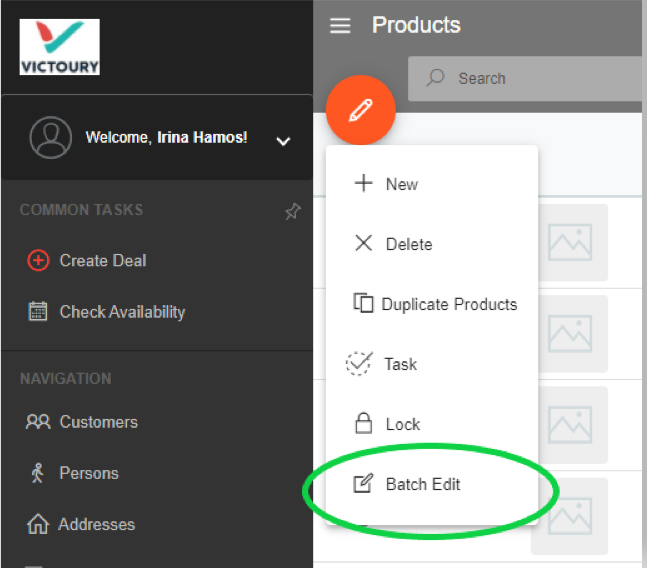
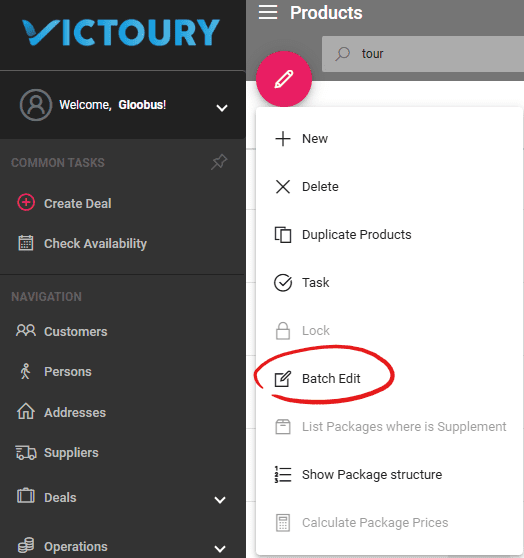
You can find the Batch Edit within the Products Listing.
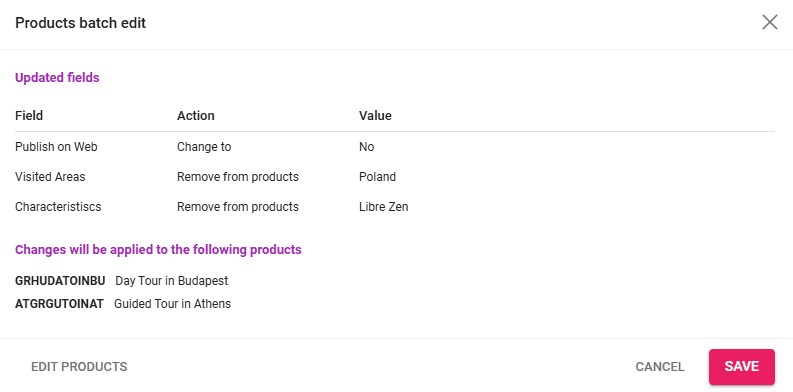
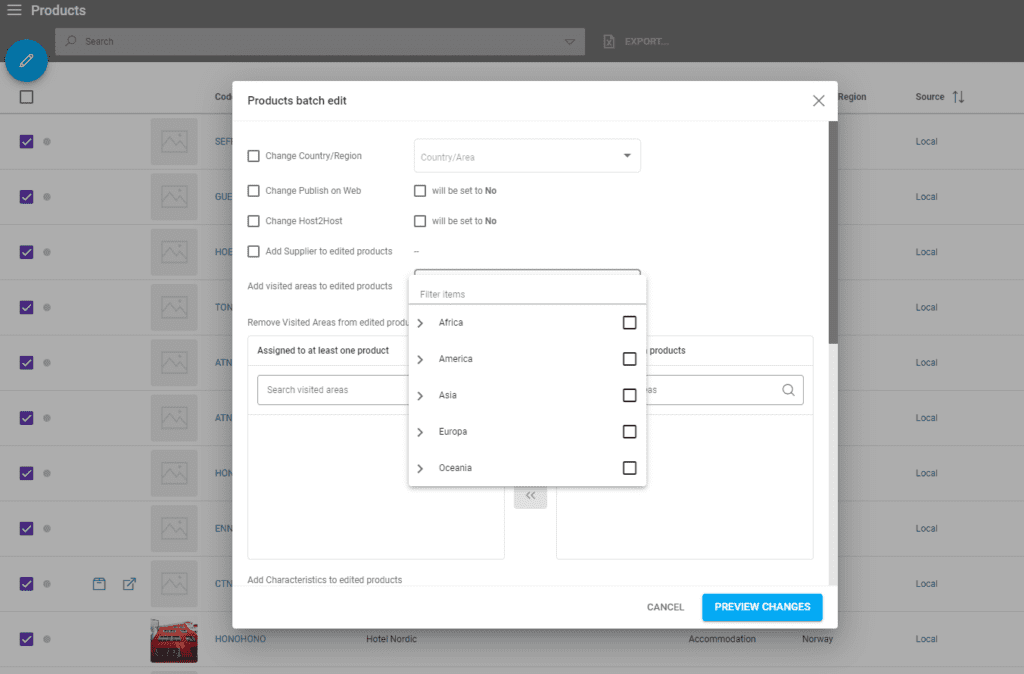
To batch edit products, simply select the products by checking the checkboxes and click on the pen icon. Select “Batch edit” and a window will pop up. Before applying your changes, you will see a detailed preview of the edits to be applied and a list of the products. Click on “Edit Products” to go back and edit your products further. Once you’re done, click on “Save” and the changes will be applied.
Possible Changes to a Product Batch
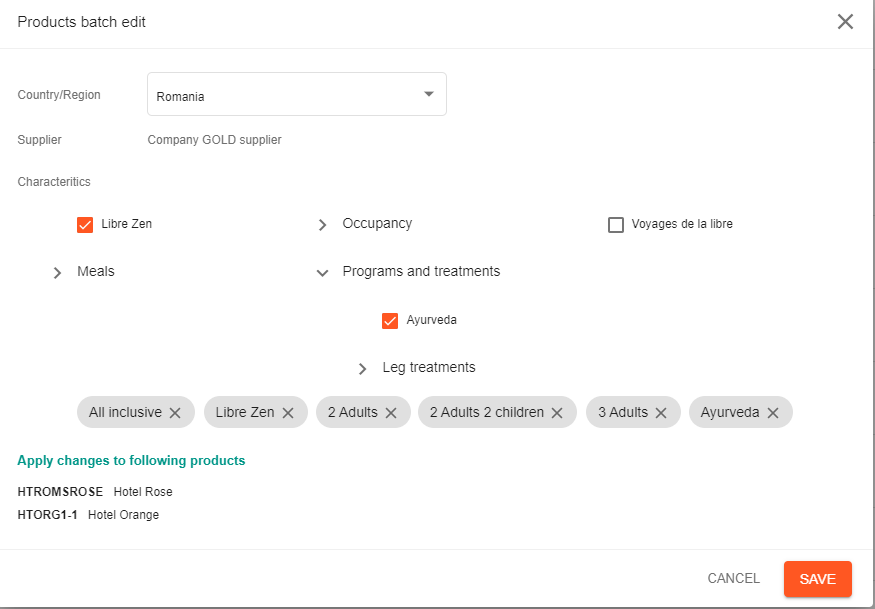
The possible modifications available through Batch Edit include:
- Country/Region
- Publish on Web
- Hots2Host
- Supplier (applicable at the product level, not the price level)
- Visited Areas - with a table view
- Characteristics (only a set of Generic characteristics are available for selection, not those specific to each Product Category)
Preview Changes to a Product Batch
The changes can be previewed before saving by clicking on the "Preview Changes" button. If there are still changes to be made, the "Edit Products" button goes back to the edit step of the product batch edit.